
Huge catalog
New releases, trending, movies, series, cartoons and anime. Posters, ratings and descriptions from TMDB in your language.
Free · no ads · no sign-up
CineTV puts a catalog of movies, series, cartoons and anime in one app for Android TV, Windows and macOS. Open it, pick a title, press Watch.
All versions and installation guidesAndroid TV 10+ · Windows 10+ · macOS 12+
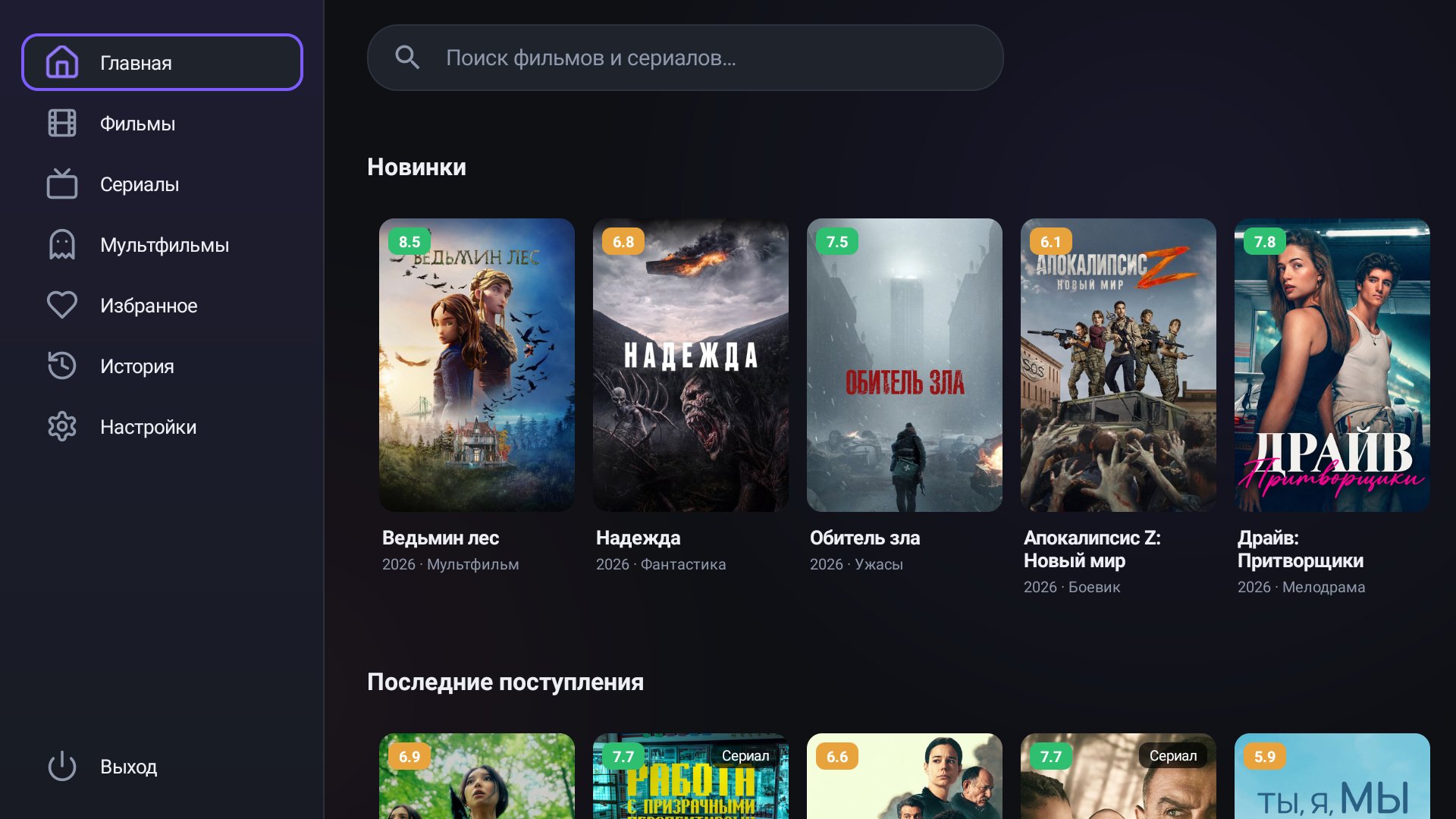
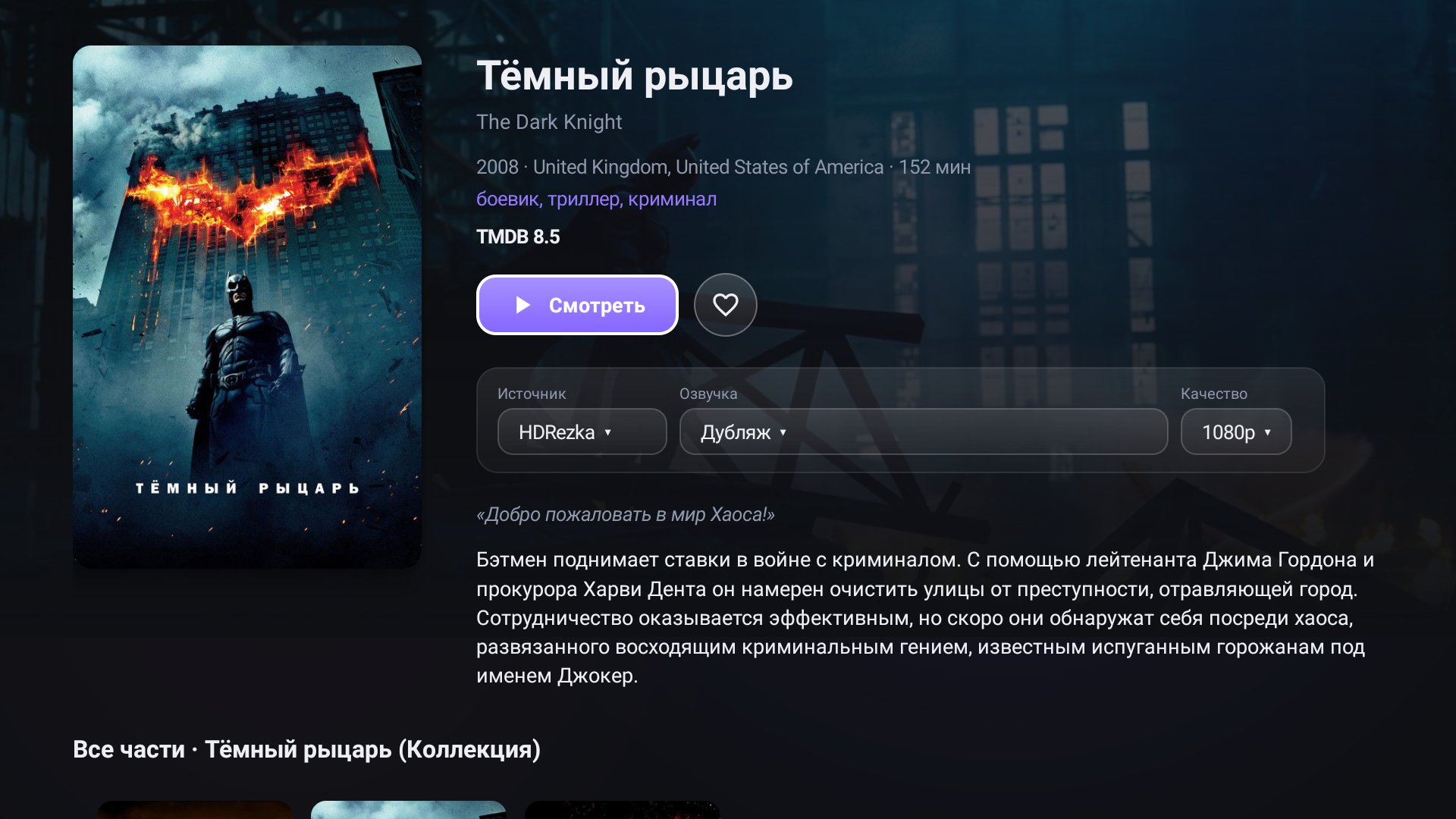
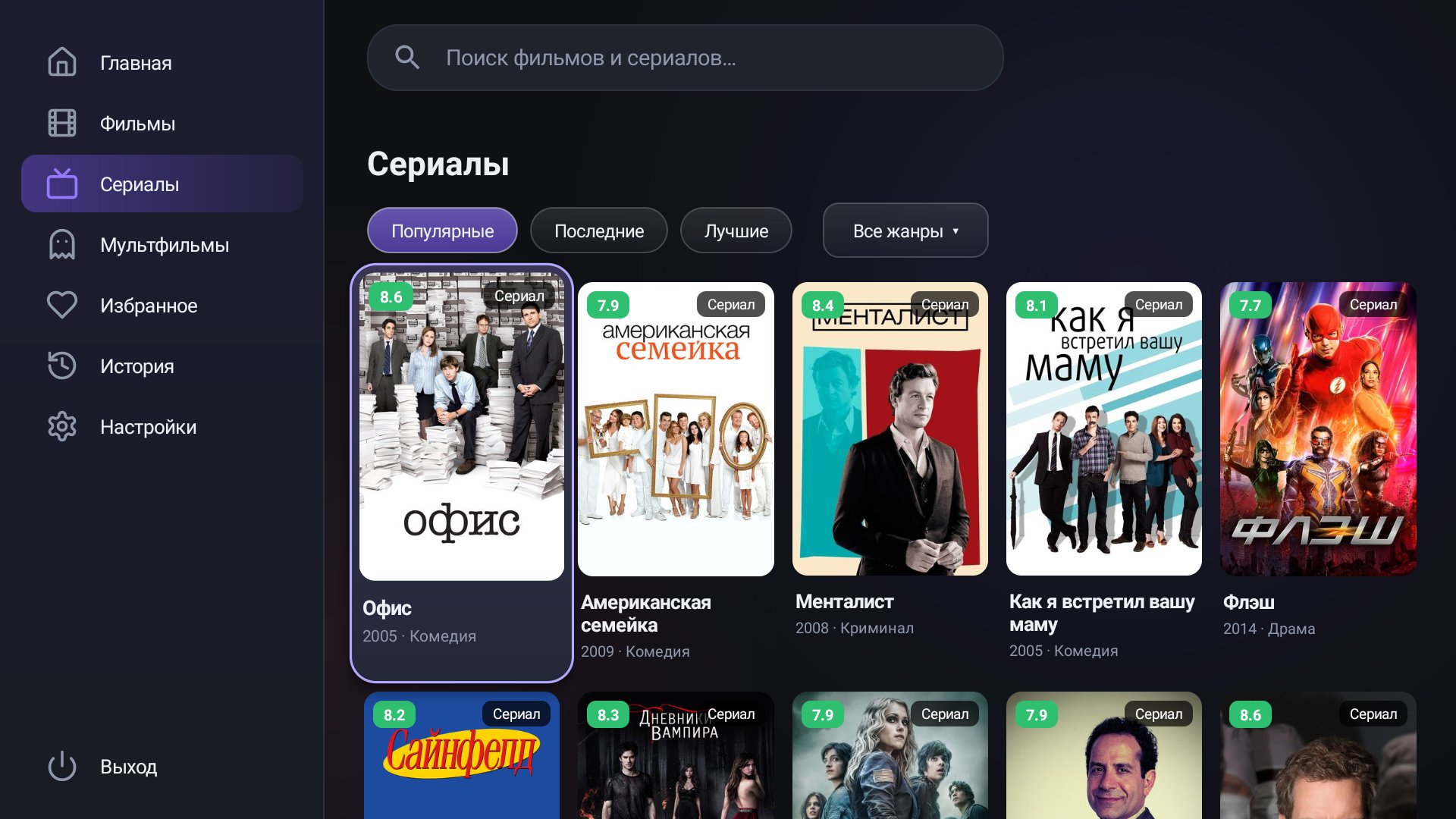
Features
No accounts and no setup to start: install it and watch.
New releases, trending, movies, series, cartoons and anime. Posters, ratings and descriptions from TMDB in your language.
Find a title by name, check the cast, directors, trailers and similar movies.
If a title is missing in one source, the player switches to another. You can reorder the sources.
Pick the dubbing, season, episode, quality and subtitles. The next episode starts automatically.
The app remembers where you stopped. History and favorites stay on your device only.
Android TV works with a regular remote: arrows, OK and Back. On a computer, use the mouse and keyboard.
No account, no passwords, no tracking. The app stores nothing on servers.
English, Russian and Ukrainian. The language follows your system and can be changed in settings.
The app offers new versions itself and verifies the checksum before installing.
CineTV puts a catalog of movies, series, cartoons and anime in one app. Posters, ratings, descriptions, cast and trailers come from TMDB in your language, while the app looks the video up in connected sources and plays it in a built-in player.
It runs on Android TV, Windows and macOS and works the same everywhere: a home screen with new releases, search, a movie page with dubbing and quality choice, Continue watching, favorites and history. There are no ads, no sign-up, and your data stays on your device.
Download the APK for your processor (arm64-v8a for most boxes and TVs) and install it on Android TV 10 or newer. The app works with a regular remote: arrows, OK and Back.
Installation guide →Run the installer or unpack the portable version. You need Windows 10 or newer, 64-bit. .NET and the video player are already inside the app, so there is nothing else to install.
Installation guide →Open the .dmg for your Mac: Apple Silicon (M1 and newer) or Intel. macOS 12 Monterey or newer is required. The builds are not signed yet, so on first launch you confirm opening them as the guide describes.
Installation guide →Screenshots
The same interface on the TV and on the computer.
Home — In theaters now and latest additions
Download
Always the latest version: the links update by themselves when a release comes out.
Android 10 or newer, ARM, remote control
Version 1.6.0Windows 10 or newer, 64-bit
Version 1.1.0macOS 12 or newer, Apple Silicon or Intel
Version 1.2.0Pick your platform and get the file from this page.
Every platform has a short guide, a couple of minutes is usually enough.
Open the catalog, choose a movie and press Watch.
FAQ
Yes. The app is free, with no ads, no sign-up and no account.
The catalog, posters and descriptions come from TMDB. The app does not host any video: it looks the title up on third-party source sites and shows what it finds. You are responsible for the content you watch.
The app never asks for an account, passwords or payment details. Settings, history and favorites stay on your device. Before installing an update the file checksum is verified, and on Android the package name and signature too.
The builds are not signed with developer certificates yet, so SmartScreen and Gatekeeper show a warning. The installation guides explain how to open the app.
It depends on the source: HDRezka and sites on the HDVB player give up to 1080p, Filmix without its own account and the Collaps player up to 720p. Maximum quality is set per source.
The interface is in English, Russian and Ukrainian, defaulting to your system language. The dubbing language is chosen on the movie page.
It offers a new version on launch. Updates are offered for stable versions only.
Yes. Open a source suggestion on GitHub and give the site address, the dubbing language and what makes it good.